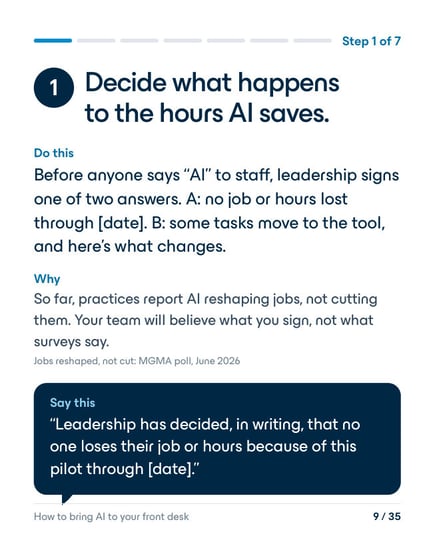
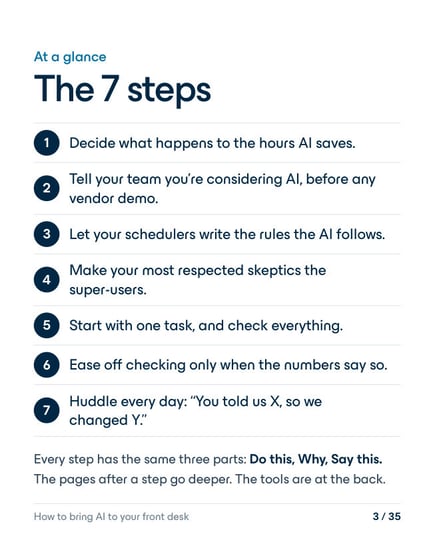
1Decide what happens to the hours AI saves.
Do this
Before anyone says “AI” to staff, leadership signs one of two answers. A: no job or hours lost through [date]. B: some tasks move to the tool, and here’s what changes.
Why
So far, practices report AI reshaping jobs, not cutting them. Your team will believe what you sign, not what surveys say.
Say this
“Leadership has decided, in writing, that no one loses their job or hours because of this pilot through [date].”
2Tell your team you’re considering AI, before any vendor demo.
Do this
A short heads-up before any demo. Then one-on-ones with the people most affected, the day before the team announcement.
Why
Rumors start at the demo. If people hear it from the grapevine first, every later word sounds like spin.
Say this
“We’re looking at an AI tool for [task], because [our problem, in our numbers]. Nothing is decided yet, and you’ll hear it from me first.”
3Let your schedulers write the rules the AI follows.
Do this
Two or three short sessions where schedulers write down the unwritten rules: which exams need prep, who can get a text, what the AI must never say.
Why
They know those rules better than anyone. And people defend what they helped build.
Say this
“You know how this really works. Help us write the rules the tool has to follow.”
4Make your most respected skeptics the super-users.
Do this
One super-user per shift. Pick the person the team trusts, not just the most tech-savvy. Give them protected time.
Why
When the person everyone listens to says “it works,” the team believes it. Outside healthcare, an AI assistant helped newer call-center agents most, and fewer of them quit.
Say this
“I picked you because people trust your judgment. Tell me when it’s wrong.”
5Start with one task, and check everything.
Do this
One low-risk task, like confirmation calls. At first, a person checks every AI output before it’s final.
Why
If your team checks everything forever, you’ve moved work, not removed it. At one health system, AI-drafted replies added 21.8% to the time physicians spent reading messages. Plan for the checking, and plan for it to shrink.
Say this
“At first, you’ll check all of its work. That’s on purpose, and it won’t last forever.”
6Ease off checking only when the numbers say so.
Do this
Measure your team’s own error rate on the task first. Ease off in stages (check everything → approve → spot-check → exceptions only) only when the AI beats that rate for two straight weeks.
Why
Trust comes from evidence your team can see, not from a vendor’s claim. Any serious error means full checking again, the same day.
Say this
“Here’s the AI’s error rate this week, and here’s ours. When it beats us for two weeks, we check less.”
7Huddle every day: “You told us X, so we changed Y.”
Do this
Ten minutes, standing up, every day for the first weeks. What did the AI get wrong? What did we change? Who owns the open items? Thank the team for every error caught.
Why
Error reports are your best signal. If reporting one ever gets someone in trouble, the reports stop. And never use the AI to time or grade your staff.
Say this
“Reporting an AI error never gets you in trouble. It’s how we make this work.”